Modding Live Files with GoZync

Once you distribute offline files to your users, how do you keep making changes, fix bugs, and re-distribute the files without breaking things or ending up with duplicate files on someone’s iPad?

GoZyncGoZync makes this easy, and this short video shows how. It also demonstrates that GoZync can let you recover from schema errors you might introduce when you’re defining fields. You’ll see how we capture errors (like “the field we’re trying to sync is no longer there”) and let you re-play a sync after you’ve corrected it… without having to ask the remote users to sync again.

This is one of my favorite parts of GoZync. Hope you enjoy it.

Learn more about GoZync at http://www.gozync.com

Featured Posts

Follow Along

Stay up to date with the latest news & examples from SeedCode

Leave a Reply

Your email address will not be published. Required fields are marked *

Check out some of our other posts ...

DayBack for Supabase

FileMaker and Supabase We are very excited to be supporting Supabase as a datasource for DayBack Calendar. You can embed DayBack in your Supabase project, or see Supabase records alongside your FileMaker events in DayBack.

Read More »

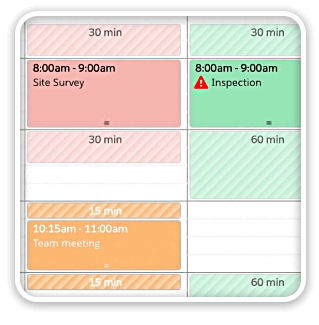
Visual Buffers: a More Accurate Calendar

Buffers in DayBack let you define padding before and after your events so you can see the time you need, not just the time you booked. Instead of squeezing appointments into every available minute, your calendar starts to reflect the reality of how your day unfolds. Buffers is ideal for travel time,

Read More »

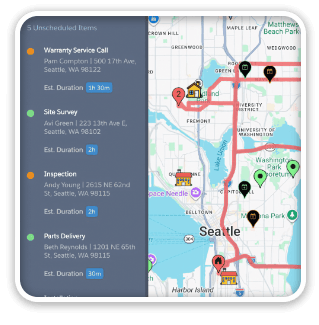
Add Jobs to a Mapped Route in FileMaker

See When Assets are Passing by Unscheduled Jobs Showing unscheduled items on the map lets you see when a route is passing close to jobs you need to schedule. As you click on each truck, you’ll see it’s route for the day and find unscheduled jobs that would be good

Read More »

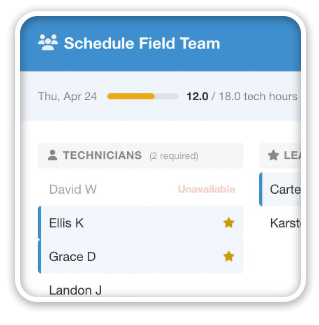
Scheduling Teams and Equipment

Seeing Availability at a Glance We recently customized DayBack for a customer who wanted to consolidates all the decisions of team assignments into a single screen. When a dispatcher clicks on a job, they can schedule the entire field team (technicians, lead, vehicle, departure plan, and equipment) without leaving the

Read More »

FOLLOW ALONG

Stay up to date with the latest news & examples from SeedCode

© 2026 SeedCode, Inc.