This video and example file demonstrates how to sync just the records relevant to your current location. This is a very common workflow in offline solutions and it helps keep the found set on your mobile device nice and small: meaning faster syncs and a better experience for folks in the field who don’t have to page through a bunch of irrelevant records.
Filtering using Find Requests
 Todd Geist put together this sweet example file and video to show off the filtering in GoZync 5. “Filtering” lets developers constrain the records that GoZync will consider for syncing. All you have to do is write a Perform Find () script step and GoZync will look within the resulting found set for records that have changed since the last sync. This is one of our favorite things about GoZync, and key to making it so flexible and easy to customize.
Using your Current Location (and current user)
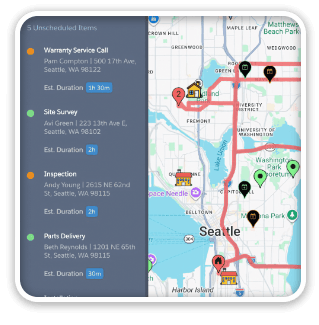
This technique uses the Google Geocoding API to determine what zip code you’re in. Once you know the zip code you’re standing in, you can filter work orders (in this example) to bring down just your scheduled orders in the current zip code. The scripts for doing all this are included in the example file.
Needless to say, this would be a great mod for GoMaps users to add to their files.
Video and Example File
Todd’s article explains how GoZync uses filters and how it takes advantage of Perform Script on Server (in FileMaker 13). Definitely required reading if you’re building offline solutions in FileMaker Pro or Go.
[ba-vimeoflex videoid=”100007316″]
Check out Todd’s original article where you’ll find more details and a link to download the example files.
You can learn more about GoZync here, and go in-depth on filtering in GoZync docs: Filtering– Downloading Found Sets.
Enjoy!