Material Design for Sublime

Been really enjoying the Material Design stuff coming out of Google.

googleThey seems to be focusing on the right issues, even if some of the results aren’t what I’d always do. Most of the time I find it’s just great to have a guide to follow–especially around typography and spacing–where otherwise I can just start trying things and pretty soon I’ve spent a couple hours tweaking fonts…

“I know white text on black is too jarring, but how off-white should I go, and how much should that change with font size?!”

Nice to have guides for that kind of thing. =)

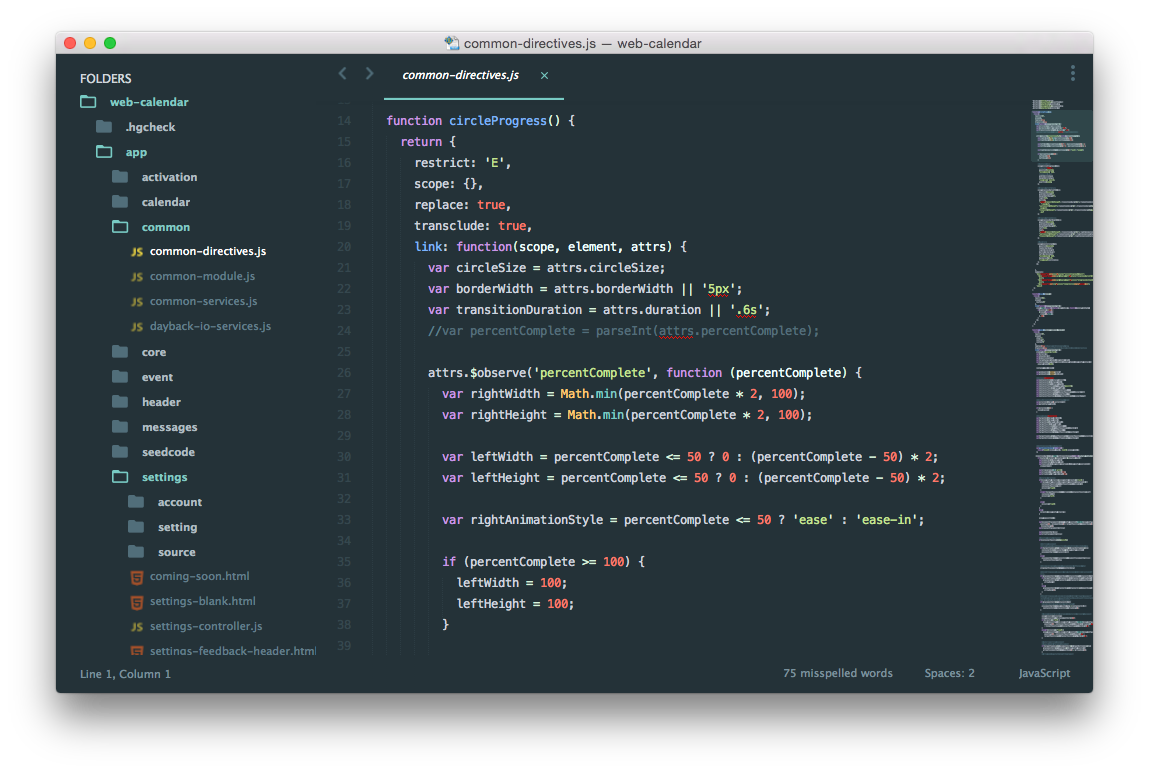
Tanner also turned me on to this great Material Design theme for our favorite text editor Sublime Text 3. Here is a before and after:
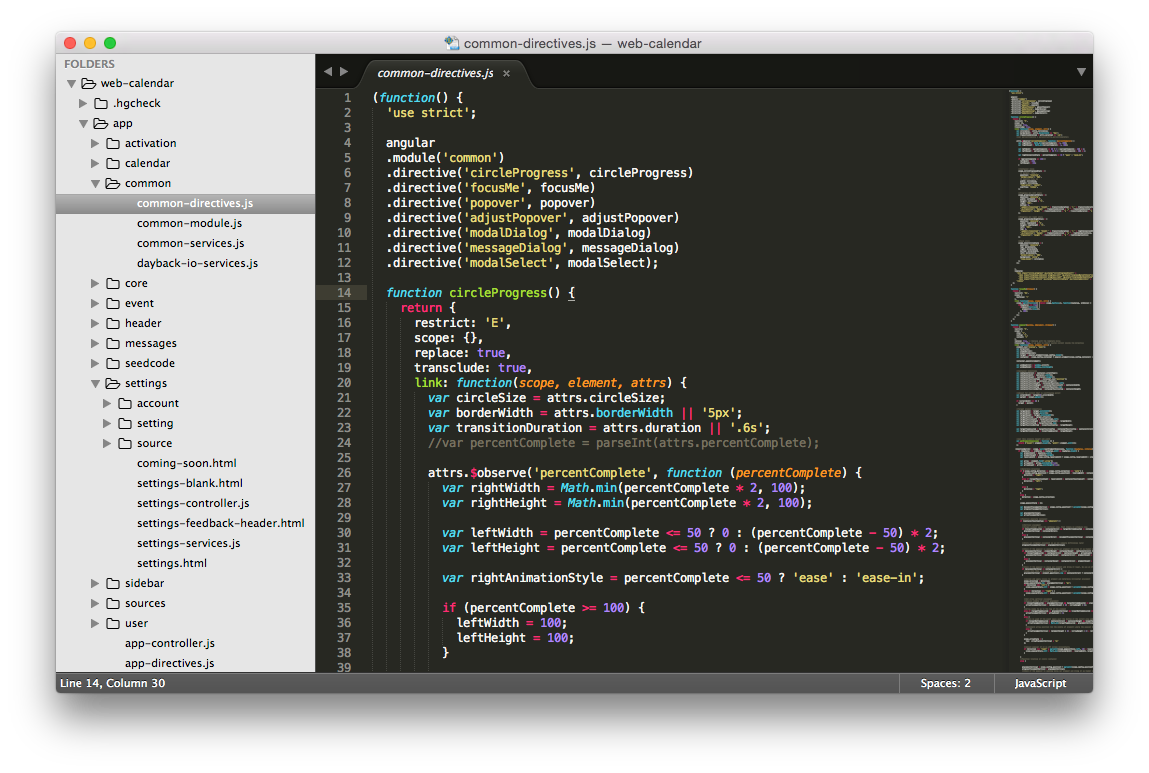
Been using Sublime a while now and still can’t get over how nice it is to have all the settings and preferences as a text document that you edit in Sublime. That means you can try new settings, comment old ones out, and easily share settings with your team. My favorite setting recently?

"spell_check": true,

Sigh.

If you’re new to Materials Design, here are some places to get started.

Google Design Home

Material Design Awards

Material Design Spec

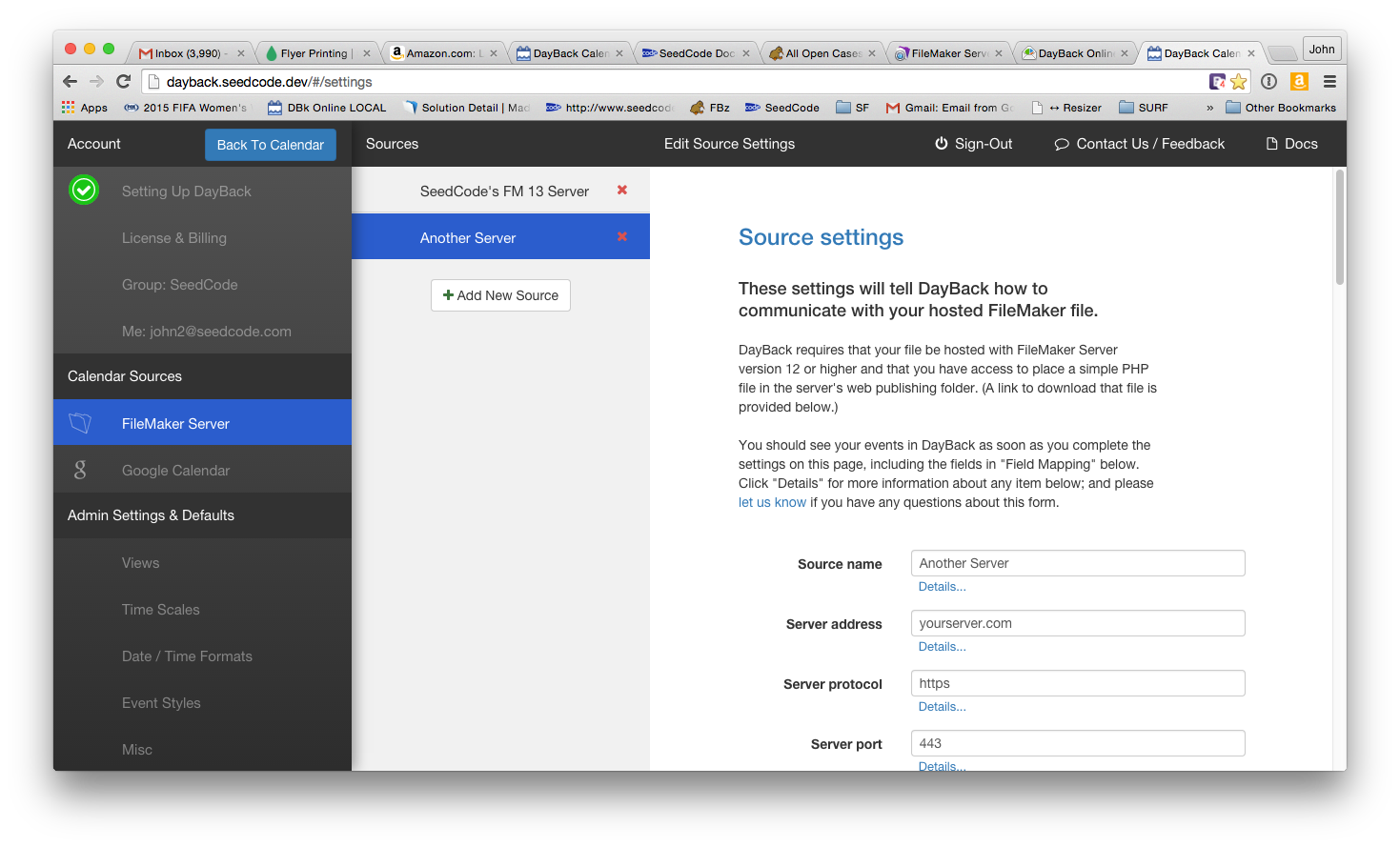
And if you’re building anything around these guidelines, we’d love to see it. We’re incorporating this in small ways into the Settings side of DayBack Online (a version of DayBack Calendar for browsers and WebDirect… coming soon):
Featured Posts

Follow Along

Stay up to date with the latest news & examples from SeedCode

Leave a Reply

Your email address will not be published. Required fields are marked *

Check out some of our other posts ...

DayBack for Supabase

FileMaker and Supabase We are very excited to be supporting Supabase as a datasource for DayBack Calendar. You can embed DayBack in your Supabase project, or see Supabase records alongside your FileMaker events in DayBack.

Read More »

Visual Buffers: a More Accurate Calendar

Buffers in DayBack let you define padding before and after your events so you can see the time you need, not just the time you booked. Instead of squeezing appointments into every available minute, your calendar starts to reflect the reality of how your day unfolds. Buffers is ideal for travel time,

Read More »

Add Jobs to a Mapped Route in FileMaker

See When Assets are Passing by Unscheduled Jobs Showing unscheduled items on the map lets you see when a route is passing close to jobs you need to schedule. As you click on each truck, you’ll see it’s route for the day and find unscheduled jobs that would be good

Read More »

Scheduling Teams and Equipment

Seeing Availability at a Glance We recently customized DayBack for a customer who wanted to consolidates all the decisions of team assignments into a single screen. When a dispatcher clicks on a job, they can schedule the entire field team (technicians, lead, vehicle, departure plan, and equipment) without leaving the

Read More »

FOLLOW ALONG

Stay up to date with the latest news & examples from SeedCode

© 2026 SeedCode, Inc.