Customizing DayBack Calendar for FileMaker: Success Story

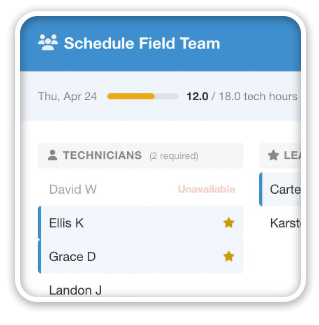
FileMaker partner aACE Software customized DayBack Calendar for their vertical market ERP solution: their customers love it!

“The results of implementing the calendar have been overwhelmingly positive. Everybody benefits from “real-time” scheduling allowing us to see down to the nth degree what resources are available for any project at any time. The calendar solved the lack of visibility issues we were having.” – Jimmie Wolfe, Director of Field Operations, Gable

Check out the details in the success story that aACE Software posted on their site: aACE + DayBack Calendar

Customize FileMaker Calendar Success Story

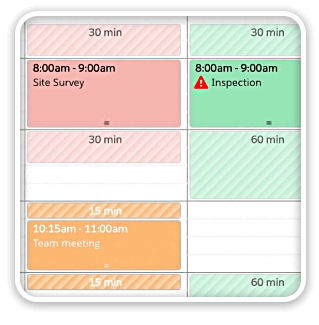
Customized to fit seamlessly within their app

We really like what aACE was able to do here and that they could customize DayBack to fit seamlessly within their own app. It looks great! And it’s clear they listened closely to their client: the customer loves what they’ve done.

Here are some links to help you start customizing the calendar:

[bctt tweet=”The aACE+ DayBack calendar integration saved the day.” username=”seedcode”]

Big thanks to Caitlin, Michael, and Brian at aACE for sharing their customization and publishing their client’s feedback! Congrats on such a great success story.

DayBack is designed for you to customize. Learn more

Featured Posts

Follow Along

Stay up to date with the latest news & examples from SeedCode

Leave a Reply

Your email address will not be published. Required fields are marked *

Check out some of our other posts ...

DayBack for Supabase

FileMaker and Supabase We are very excited to be supporting Supabase as a datasource for DayBack Calendar. You can embed DayBack in your Supabase project, or see Supabase records alongside your FileMaker events in DayBack.

Read More »

Visual Buffers: a More Accurate Calendar

Buffers in DayBack let you define padding before and after your events so you can see the time you need, not just the time you booked. Instead of squeezing appointments into every available minute, your calendar starts to reflect the reality of how your day unfolds. Buffers is ideal for travel time,

Read More »

Add Jobs to a Mapped Route in FileMaker

See When Assets are Passing by Unscheduled Jobs Showing unscheduled items on the map lets you see when a route is passing close to jobs you need to schedule. As you click on each truck, you’ll see it’s route for the day and find unscheduled jobs that would be good

Read More »

Scheduling Teams and Equipment

Seeing Availability at a Glance We recently customized DayBack for a customer who wanted to consolidates all the decisions of team assignments into a single screen. When a dispatcher clicks on a job, they can schedule the entire field team (technicians, lead, vehicle, departure plan, and equipment) without leaving the

Read More »

FOLLOW ALONG

Stay up to date with the latest news & examples from SeedCode

© 2026 SeedCode, Inc.