
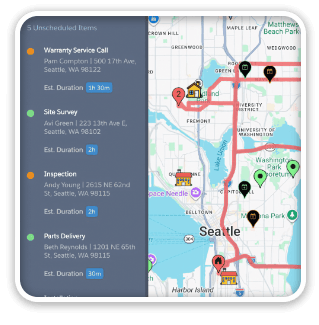
Maps and calendars work together to make field service more efficient. Here’s an example of using the routing options in ProMaps to optimize your schedule. SeedCode’s KC Embrey wrote FileMaker scripts to send a day’s appointments to ProMaps for routing, and then pull that route information back into DayBack Calendar to determine the start time for each appointment.

Scheduling Routes with FileMaker and Google Maps
Routing is built into SeedCode’s ProMaps template. KC’s customization takes the response from Google’s route API and interprets it to schedule the day’s appointments in DayBack, assigning each a start time based on drive dive defaults used by the customer. A fancier version of this could use Google’s own travel-time estimates to set the start times. Here’s a short video of the customization in action:
Thanks to Duncan Chidley at Coastal Comfort for letting us share this customization!
More Map & Calendar Integrations
The movie above shows how our customer is using routing in ProMaps to determine the order of appointments. Here are some other customizations we can help you craft between ProMaps and DayBack Calendar:
- Use travel times from the Google API to schedule the time between appointments
- Color code the map by day-of-the-week so each day’s appointments are clustered near each other
- Automatically assign customers to territories (or technicians) based on the customer’s location
- Add leave-by times to the calendar for each appointment
If your field service operation could benefit from tighter integration between your routes and schedules, please get in touch. We’re here to help.

3 Comments
Thanks, he contacted me, now it’s the peek season, but maybe we could benefit of sharing development fee of new features 🙂
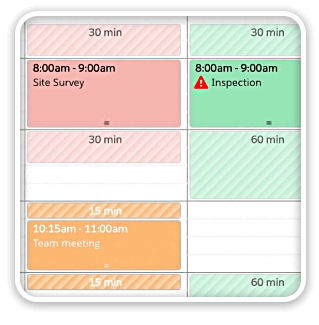
How did you manage to get a color icon in the calendar event ? Font Awesome is only vector monochrome ?
With a global container field ?
Thanks
Finaly, another user that is in the same field as I am !!
I wonder how the rest of the FM app is working around the calendar ?
Tried to Google the business name and in NJ… no result ! Maybe we could exchange some ideas ?
Yes! They don’t have much of a web presence, but I’ll ask KC to send them your contact info to see if they want to connect/brainstorm.