
We’ve just launched a new version of ProMaps adding capabilities like shape-searches and routing! We owe a big thanks to Tanner Ellen for his suggestion that we gather up what we’ve learned into a new version. This new ProMaps represents over three years of making custom FileMaker maps and modifying ProMaps for customers.


New Features
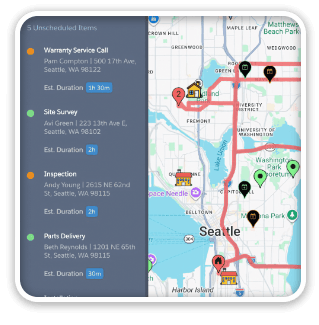
Routing: create routes and direction for up to 23 addresses (plus your start and end addresses). Or click on any pin in the map to get directions from your current location.
Shape-search: constrain the map using circles or polygons to select the pins you’re interested in: ProMaps will change the found set to reflect your selection.
Map a found set: perform an ad hoc find on the list view and send that found set to the map: ProMaps will use that found set as the starting point for any filters or searching to further constrain it. Here’s a video of this in action…
[ba-column size=”one-fourth” last=”0″][/ba-column][ba-column size=”three-fourths” last=”1″][ba-youtubeflex videoid=”usKKTIRtAHE”][/ba-column]
Enhanced filters: the filters in ProMaps are now set up as checkboxes so they support multiple values out of the box: creating new filters of your own is still easy.
Downloads & Pricing
More screenshots, prices, and a demo file can be found here: SeedCode ProMaps
Upgrades
If you’ve purchased any previous maps product, you can upgrade to the new ProMaps at a discount. (This new version also replaces GoMaps.) Upgrades are 60% off the regular ProMaps price through August 31st. After that upgrades will be 40% off the regular price.
Get in touch to take advantage of the 60% off pricing: just send us a note and let you know the email address you used the you first purchased maps.

2 Comments
While you state that GOMaps is compatible with GO is it still compatible once the file has been processed through the iOS App SDK?
It is =) Remember that those apps get their own url protocol (they don’t use fmp:// any more). So you’ll need to replace fmp:// in the map’s html with the new protocol you designate for your bound app. Fortunately that html is exposed for you to edit. Hope that’s good news.