Sync Case Study: KeyPlus

SeedCode’s customer KeyPlus was recently featured on FileMaker’s UK site showing off their new GoZync-enabled solution for alarm response and reporting.

Employees complete incident reports in the field using company iPads and iPhones, this “not only saves time but also helps to prevent errors stemming from employees having to wait until they have returned to the office before typing up reports.”

The FileMaker solution has completely streamlined the business. Clients are now updated much more swiftly and the reports that FileMaker allows us to generate are clearer and more detailed than ever before, which has also proved useful for audit logging.keyplus-security-database_pic2 Our response officers are also incredibly pleased with FileMaker Go; the tailored mobile solution prioritizes the features that they use most often, allows them to access information quickly and easily, as well as preventing them from accidentally making unwanted changes to the database. – Brian Curran, Managing Director, KeyPlus

Learn more about syncing FileMaker Go with GoZync.

Visit KeyPlus Security Services.

Read the original case study at filemaker.co.uk.

Featured Posts

Follow Along

Stay up to date with the latest news & examples from SeedCode

Leave a Reply

Your email address will not be published. Required fields are marked *

Check out some of our other posts ...

DayBack for Supabase

FileMaker and Supabase We are very excited to be supporting Supabase as a datasource for DayBack Calendar. You can embed DayBack in your Supabase project, or see Supabase records alongside your FileMaker events in DayBack.

Read More »

Visual Buffers: a More Accurate Calendar

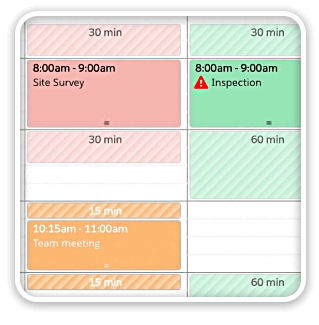
Buffers in DayBack let you define padding before and after your events so you can see the time you need, not just the time you booked. Instead of squeezing appointments into every available minute, your calendar starts to reflect the reality of how your day unfolds. Buffers is ideal for travel time,

Read More »

Add Jobs to a Mapped Route in FileMaker

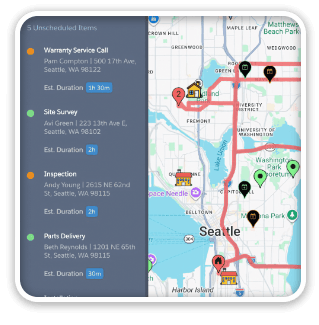
See When Assets are Passing by Unscheduled Jobs Showing unscheduled items on the map lets you see when a route is passing close to jobs you need to schedule. As you click on each truck, you’ll see it’s route for the day and find unscheduled jobs that would be good

Read More »

Scheduling Teams and Equipment

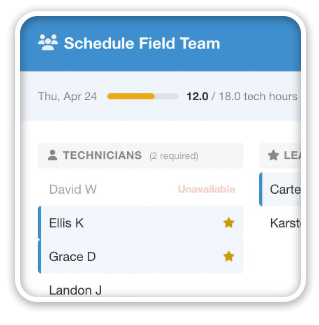
Seeing Availability at a Glance We recently customized DayBack for a customer who wanted to consolidates all the decisions of team assignments into a single screen. When a dispatcher clicks on a job, they can schedule the entire field team (technicians, lead, vehicle, departure plan, and equipment) without leaving the

Read More »

FOLLOW ALONG

Stay up to date with the latest news & examples from SeedCode

© 2026 SeedCode, Inc.