Blog & Latest News

  • All
  • Analytics
  • Berlin
  • Calendar
  • DevCon 2015
  • DevCon 2019
  • FileMaker
  • FileMaker 12
  • FileMaker 13
  • FileMaker 16
  • FileMaker 19
  • FileMaker Go
  • FileMaker Go Best Practices
  • FileMaker SQL
  • Games
  • Gmail
  • GoZync
  • HTML5
  • iCal
  • Interface Design
  • javascript
  • JSON
  • Making Time
  • Maps
  • Pause
  • PauseOnError
  • Resource Scheduling
  • Salesforce
  • seedcode
  • SeedCode Complete
  • Sidebar
  • WebDirect
  • What Works
FileMaker and JSON Files

May 22, 2021

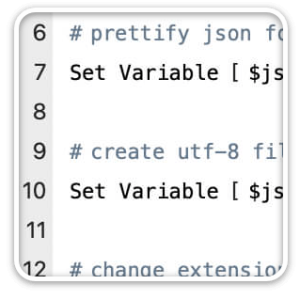
FileMaker introduced its JSON functions in version 16. They’ve changed how many developers work, both as a protocol for handling data interchange within FileMaker and working with external APIs. The JSON functions are for working with text, but what if we run into a situation where we need to work with actual JSON files? Does FileMaker provide the tools to read and write .json files as well as...

Conflict Detection for FileMaker 19 Calendars

March 14, 2021

We’ve updated our example scripts for notifying users that they may be creating a conflict. Earlier versions of the script were for DayBack Classic, and now we’ve added example code for the new DayBack for FileMaker 19. This customization is a great example of intercepting the event-editing script in FileMaker and reverting changes to an event if your script deems it necessary. Watch a video of this in...

Case Study: Resource Scheduling in FileMaker 19

March 1, 2021

“We cut our planning meeting time by 50%. We are now able to spend more time refining our backlog instead of mechanically completing our schedule. We are super excited about this!” – Jeremy Verrillio, Vice President, CIPS Happy to share this integration of DayBack Calendar with the FileMaker solution Jeremy Verrillio created for Comprehensive Injury Prevention Solutions (CIPS). Our blog post at dayback.com describes the strategies employed, including...

Web Viewer Tips For FileMaker 19 – Hardening the FileMaker.PerformScript Function

January 30, 2021

If your web viewer code calls the FileMaker.PerformScript function when loading, it’s possible that it hasn’t been injected into the web viewer yet, and your code will fail with a breaking error. How can we harden our opening routine to ensure this breaking error doesn’t occur and provide the best experience for the user? Part 3 of 3 of our series on Web Viewer Tips for FileMaker 19....

Web Viewer Tips For FileMaker 19 – Hosting Your Web Viewer Add-On

January 10, 2021

What are the benefits of building a hosted app for the web viewer in FileMaker? And how can we make this approach work in WebDirect where it looks like FileMaker only supports data URLs? In a previous article, we looked at writing JavaScript for FileMaker 19 that matches a typical  JS pattern of making asynchronous calls to a data source and handling the results. One of the important...

Refresh DayBack When Events Are Changed By Other Users

January 2, 2021

Is this your DayBack story? You have users who are primarily using one calendar view for a long time, and another user updates an event.  In a busy scheduling environment–like a call center–how does everyone know that something has changed? Normally other users won’t see these changes until they change a filter, change their view, or click the calendar’s refresh button. This can slow folks down or poorly...

Web Viewer Tips for FileMaker 19 – Writing Asynchronous JavaScript

November 23, 2020

Should we trust the script execution order in FileMaker? Or should we write web viewer code that doesn’t care? In FileMaker 19, developers can now use JavaScript in their web viewer apps to call FileMaker scripts directly. And when those FileMaker scripts complete, they can, in turn, call JavaScript in the web viewer to pass results back. While it’s tempting to assume these two things will happen right after...

Automatic Resource Filtering

October 18, 2020

DayBack is designed to be customized, and you can transform both the way it behaves and the way it looks. KC Embrey’s latest customization adds a new button to automate resource filters. You might need this if you have many resources (people, equipment, or rooms) and want to see a scheduling grid but don’t want to see blank rows for all the resources that don’t have any appointments....

FileMaker 19 Calendar Add-On

June 10, 2020

We’ve packaged up DayBack Calendar as an add-on: and if you watch the video below, I think you’ll agree that FileMaker 19 add-ons are a game-changer for developers. What Are FileMaker 19 Add-Ons? “Add-on” can refer to both the new objects being inserted into your file–a chart widget, for example, could be called an add-on. And “add-on” can refer to the way those objects are added to your...

New – DayBack Calendar for FileMaker 19

May 24, 2020

Here it is. The best calendar we’ve ever built is also the easiest to integrate and customize. We’ve been eagerly anticipating a few of the changes in FileMaker 19 that let high-end add-ons like DayBack integrate seamlessly with FileMaker. And we’ve done a lot of work to make sure FileMaker developers can customize every aspect of the calendar. All the calendar features we’ve deployed to Salesforce and Google...

12
Next

Featured Posts

Follow Along

Stay up to date with the latest news & examples from SeedCode

FOLLOW ALONG

Stay up to date with the latest news & examples from SeedCode

© 2026 SeedCode, Inc.