Blog & Latest News

  • All
  • Analytics
  • Berlin
  • Calendar
  • DevCon 2015
  • DevCon 2019
  • FileMaker
  • FileMaker 12
  • FileMaker 13
  • FileMaker 16
  • FileMaker 19
  • FileMaker Go
  • FileMaker Go Best Practices
  • FileMaker SQL
  • Games
  • Gmail
  • GoZync
  • HTML5
  • iCal
  • Interface Design
  • javascript
  • JSON
  • Making Time
  • Maps
  • Pause
  • PauseOnError
  • Resource Scheduling
  • Salesforce
  • seedcode
  • SeedCode Complete
  • Sidebar
  • WebDirect
  • What Works
Customer Mods – a red theme for DayBack

January 12, 2016

Chris Ursulak at Barantas has been diving into the CSS in DayBack Calendar and sent us these screenshots of the cool red theme he created. If you want to make your own mods like these, some of the changes he’s made are versions of CSS recipes you can find here. But don’t be afraid to dig in and go further like Chris did. And if you can’t find the...
Add Cascading Events to DayBack

December 14, 2015

You may have seen how changing the date of one event in SeedCode Complete cascades that change through the downstream events for the same project. Now you can add that behavior to your own copy of DayBack Calendar… SeedCode Complete adds a lot of features to a stock copy of DayBack–probably the most useful is creating these events in the first place through process templates–but this cascading feature is something our...

SeedCode Complete now includes DayBack Calendar

December 8, 2015

The SeedCode Complete starter solution now comes with a tightly integrated copy of DayBack Calendar. We’ve been looking forward to this integration for a long time and were waiting until DayBack had gantt charts, as they’re a bit part of managing projects in Complete. The gantt charts are here now and this integration with Complete was worth the wait. DayBack calendar is a great fit for Complete and there...

FileMaker Gantt Charts in DayBack Calendar

December 8, 2015

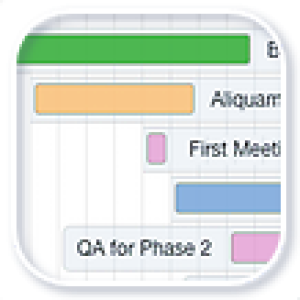
We’re thrilled to announce that the new gantt chart for DayBack is now available as an in-app update. To add this view to your own copy of DayBack click “Account Settings” on the calendar’s settings tab and then click “Check for Updates”. The gantt chart is a great way to see all the events for a single project (or a single resource) when those events span more than a...

Preview – Gantt Charts for DayBack Calendar

November 24, 2015

We’re close to shipping the first version of a Gantt chart for DayBack Calendar and wanted to share a preview with you; lots of folks have been asking about this. The first version should ship as an in-app update in the next few weeks. This new view should let you look at an entire project at a glance, as opposed to just one-month or one-week at a time. And of course,...

Add Icons to DayBack Calendar

October 12, 2015

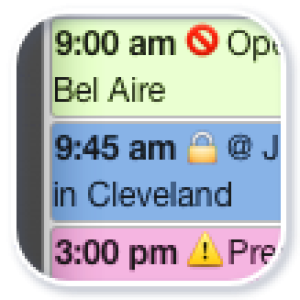
Turns out that it’s pretty easy to add colored icons to your events in DayBack calendar–at least on a Mac: you can use these to supplement DayBack’s color-coding or just to draw attention to certain events. This was inspired by some screen shots Tommy Duval sent us from tactic-tgi.com. Tommy’s using the Mac character viewer to insert new characters into the event summary. To get the character viewer to show...

New: Resource Scheduling Grid View

September 14, 2015

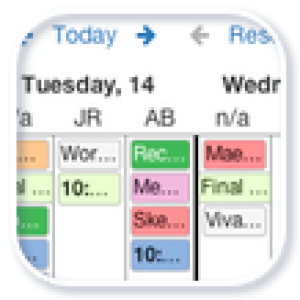
Balance your workload with the new Grid View for DayBack Calendar. Like the multi-day resource view, the grid lets you scan for gaps in your schedule so you can balance the workload among your resources. View any number of resources and up to 14 days at a time in a simple grid that supports drag and drop rescheduling. See the Grid View in action below… the video begins by showing how...

Awards and Integrations with Slack and Harvest

July 28, 2015

We were very psyched to receive an Excellence Award from FileMaker, Inc. for DayBack Calendar, citing SeedCode as a “Leader in Producing Commercial Solutions.” We’re also thrilled that Andy LeCates, when presenting the award, said that DayBack showed how the webviewer can be used as an “extension API for FileMaker”. Exactly. Very validating to have the folks at FileMaker stand behind what we’re doing. [ba-column size=”three-fourths” last=”0″] Previews...

New: Multi-Day Resource Scheduling for DayBack Calendar

May 11, 2015

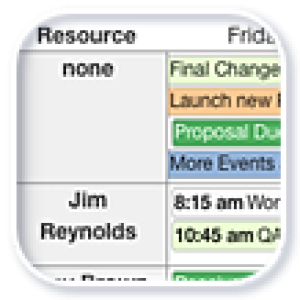
If you’ve already integrated DayBack Calendar into your FileMaker solution you know that we’re releasing regular in-app updates to add new features. Today’s update is especially cool as it introduces a feature lots of folks have been asking for: multi-day resource scheduling. This addition makes it much easier to allocate your work across resources over several days–and to scan for gaps in your schedule across multiple days. The...

New In-App Update for DayBack Calendar

April 14, 2015

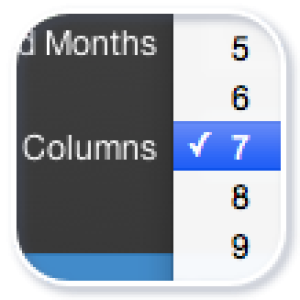
We just posted a new update of DayBack with a sweet little enhancement to the Resources tab: you can now change the number of resource columns on the fly. This short movie shows how that works and how to download the update into your copy of the calendar. If you’re new to DayBack, learn more here: DayBack Calendar Add-On for FileMaker.

Featured Posts

Follow Along

Stay up to date with the latest news & examples from SeedCode

FOLLOW ALONG

Stay up to date with the latest news & examples from SeedCode

© 2026 SeedCode, Inc.