Blog & Latest News

  • All
  • Analytics
  • Berlin
  • Calendar
  • DevCon 2015
  • DevCon 2019
  • FileMaker
  • FileMaker 12
  • FileMaker 13
  • FileMaker 16
  • FileMaker 19
  • FileMaker Go
  • FileMaker Go Best Practices
  • FileMaker SQL
  • Games
  • Gmail
  • GoZync
  • HTML5
  • iCal
  • Interface Design
  • javascript
  • JSON
  • Making Time
  • Maps
  • Pause
  • PauseOnError
  • Resource Scheduling
  • Salesforce
  • seedcode
  • SeedCode Complete
  • Sidebar
  • WebDirect
  • What Works
Show more fields in DayBack Calendar

May 19, 2017

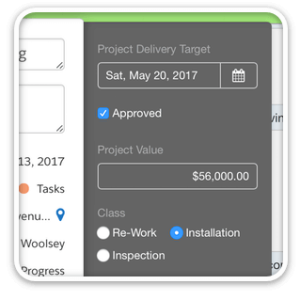
The latest in-app update to DayBack Calendar lets you include more fields inside the calendar. This is great for cases when you have required fields or field validation that previously couldn’t be addressed by the default calendar fields. Having access to more of your fields means you can make more edits inside the calendar where things like option-drag make creating and duplicating events very fast. These additional fields also show...

Publish and Share your FileMaker Calendar

March 19, 2017

Easily Create Public URLs from your FileMaker Calendars You can now easily publish and share calendars and project timelines with folks outside your organization who may not have access to your FileMaker solution. The new “share” menu in DayBack will create a public url matching your view: shares can include events from multiple tables and respect your filters. What you see is exactly what gets shared. Changes made in DayBack are automatically...

Reporting with DayBack Calendar

January 27, 2017

Customers often want to track stats about the resources they’re scheduling in DayBack. They want to answer questions like… “How many hours do these assignments represent?” “What is the total cash value of the confirmed bookings this week?” [ba-box background=”#98e382″ border=”#4b9b55″ textcolor=”#F7F7F7″] This kind of reporting is now built into DayBack.  Check out the new Calendar Analytics introduced in July of 2018: measure values across your schedule. [/ba-box] Stats like these are easy...

Resource Scheduling at Longer Time Scales – 30 Day Pivot View

December 19, 2016

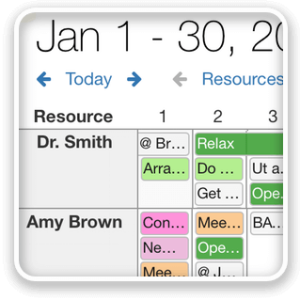
The latest in-app update to DayBack Calendar introduces 21-day and 30-day resource scheduling views, so you can look a bit further forward when balancing your workload. Like “breakout by resource“, introduced last week, these options let you work at longer timescales so scheduling problems don’t sneak up on you. These new date ranges are available under the “days” menu when you click on the Resources tab in the upper right of the...

Customizing DayBack Calendar

December 10, 2016

Checkout the great mod Eric Luce has made to get DayBack’s help scheduling editing suites for the Arizona Center for Digital Media Arts. “We use the DayBack calendar in multiple instances, each for a slightly different purpose. Where you see the sidebar on the right side is for scheduling shifts of student workers. The other screenshots show the room reservation calendar where students can check out our Studios,...

Balance your Schedule — Breakout by Resource (or Status)

December 8, 2016

The latest in-app update to DayBack Calendar introduces “breakout” to Horizon View. This lets you work at longer time scales (up to nine twenty weeks at a time) while focussing on what’s scheduled for each resource. Resources in DayBack can be your people, rooms, or pieces of equipment, and you balance your workload by dragging events from one resource to another. Here’s a video of breakout in action: [ba-youtubeflex videoid=”gz2AbgqygcQ”] [ba-button link=”https://www.seedcode.com/filemaker-calendar/”...

Paper Planners

December 6, 2016

  When do you sketch on paper and when do you use computers? Maybe it depends on having a pen that matches the speed at which you think? Some paper planners (and pens) reviewed on the blog at DayBack.com

New Features for DayBack Calendar

November 7, 2016

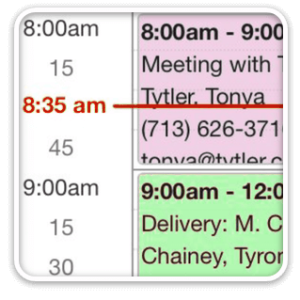
The latest in-app updates to DayBack adds the ability to duplicate events by dragging them, improved date fidelity outside the US, and a red line indicating the current time. None of these updates require any changes to your FileMaker file: just click “check for updates“. Duplicating Events Easily duplicate events by dragging them. Just hold down the Option key (Mac) or Control key (Windows) before starting to drag...

New Version of DayBack Calendar – Locations and Mapping

July 18, 2016

The latest in-app update to DayBack adds support for a location field along with some nice improvements to the editing experience. (Instructions for adding location to your copy of DayBack for FileMaker can be found here: updating to DayBack 9.81) Locations You can now enter a location for your appointments right into DayBack and quickly check the accuracy of your entry on a small map. Here is what...

Showing Conflicts in DayBack Calendar for FileMaker

July 7, 2016

DayBack Calendar does a great job visualizing conflicts in your schedule. But sometimes you may want to alert users when they’re creating a conflict that they may not see. We’ve created a simple script you can paste into your copy of DayBack Calendar to help notify users when they’re creating a conflict. Here’s the script in action: [ba-youtubeflex videoid=”xZCajTfEPBA”] Adding this to your file Note. These instructions are...

Featured Posts

Follow Along

Stay up to date with the latest news & examples from SeedCode

FOLLOW ALONG

Stay up to date with the latest news & examples from SeedCode

© 2026 SeedCode, Inc.