Blog & Latest News

  • All
  • Analytics
  • Berlin
  • Calendar
  • DevCon 2015
  • DevCon 2019
  • FileMaker
  • FileMaker 12
  • FileMaker 13
  • FileMaker 16
  • FileMaker 19
  • FileMaker Go
  • FileMaker Go Best Practices
  • FileMaker SQL
  • Games
  • Gmail
  • GoZync
  • HTML5
  • iCal
  • Interface Design
  • javascript
  • JSON
  • Making Time
  • Maps
  • Pause
  • PauseOnError
  • Resource Scheduling
  • Salesforce
  • seedcode
  • SeedCode Complete
  • Sidebar
  • WebDirect
  • What Works
Beautiful Custom Sidebar for DayBack Calendar

March 1, 2018

Check out this FileMaker calendar of the public events at the Hammer Museum in LA: Julia Dzwonkoski of AngelCityData designed and built this, adding a custom sidebar to the left of DayBack calendar. This sidebar, which contains a list of current exhibitions, is made solely with FileMaker layout objects and calls FileMaker scripts in DayBack to manipulate the calendar’s filters. The result is a very elegant calendar that’s...
Selecting Multiple Contacts

February 21, 2018

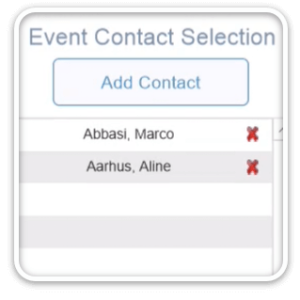
Customizing the Go To buttons in DayBack for FileMaker In the DayBack for FileMaker popover, the blue arrow buttons next to Contact and Project run a script that opens the related contact or project in its own layout. This script can be customized to perform other actions, rather than just opening the related contact or project. In this example, we’ve customized DayBack for a customer to allow multiple contacts...

Printing Web Viewers in FileMaker 16

January 15, 2018

Here’s an example file you can use to print web viewers in FileMaker 16. We use DayBack Calendar as an example, but you can use these scripts in your own file too. The scripts manage the window sizing which can make printing web viewers tricky. They also use the free ScriptMaster plugin to make PDFs for printing since FileMaker 16 no longer supports printing web viewer content on...

Customizing DayBack Calendar for FileMaker: Success Story

December 26, 2017

FileMaker partner aACE Software customized DayBack Calendar for their vertical market ERP solution: their customers love it! “The results of implementing the calendar have been overwhelmingly positive. Everybody benefits from “real-time” scheduling allowing us to see down to the nth degree what resources are available for any project at any time. The calendar solved the lack of visibility issues we were having.” – Jimmie Wolfe, Director of Field Operations,...

New Text Styles, Colors, and Icons in DayBack Calendar for FileMaker

December 12, 2017

The latest in-app update to DayBack lets you style events in the calendar. You can use this to add icons, introduce a second color, or treat events differently when they contain certain keywords. DayBack already lets you use a FileMaker calculation to determine how each event is displayed above. Now you can include styling in that calc. New documentation contains screenshots and calculations for each of these examples: Add Font...

Customizing DayBack: In-App Updates

November 20, 2017

The whole point of DayBack is to have a calendar you can customize. You want to paste it into your file and change the scripts so it works the way you do. And you want to do that without giving up access to new features, bug fixes, and newer versions of the calendar Fortunately, you can download new features and bug fixes without overwriting your changes thanks to the...

New Scheduling View – Breakout the Month By Resource

September 6, 2017

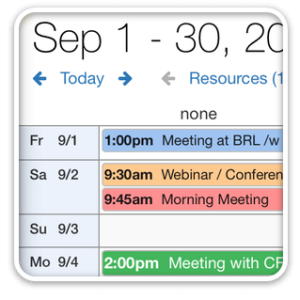
The new “Daily” resource view creates a grid: you’ll see your days down the side, with your resources (people, trucks, processes, etc.) across the top. This makes it very easy to scan for gaps and view a whole month at a time, comparing your resources’ schedules side by side. Here’s a quick demonstration of the new view in action: Add this to your copy of DayBack by clicking Account Settings...

Search Across All Your Calendars

August 11, 2017

The latest in-app update to DayBack adds a text filter, making it really easy to focus on just a part of your calendar. The filter searches against any fields you’ve included in the calendar and works across all your sources. Here’s a quick video of it in action: Focus on just your meetings Show all the tasks, events, and milestones for a single customer Make and share project-specific...

FileMaker 16 Card Windows – in DayBack Calendar

June 26, 2017

The new FileMaker 16 card windows give you some great options for integrating DayBack Calendar with your other layouts. Here’s a short video with a few  examples of what you can do: Why Card Windows? Card windows let you see the calendar in the context of decisions you’re making on other layouts. They make it just a little easier to check your schedule. And you’re much less likely to over promise...

Schedule GoToMeetings from FileMaker

June 21, 2017

This post will show you how to schedule GoToMeetings from DayBack Calendar using the new cURL and JSON functions in FileMaker 16, as well as how to do it in JavaScript if you’re using DayBack Online.  Custom actions in DayBack let you add your own buttons to your events in the calendar. These buttons run your own FileMaker scripts and are a great way to extend the calendar’s...

Featured Posts

Follow Along

Stay up to date with the latest news & examples from SeedCode

FOLLOW ALONG

Stay up to date with the latest news & examples from SeedCode

© 2026 SeedCode, Inc.