Blog & Latest News

  • All
  • Analytics
  • Berlin
  • Calendar
  • DevCon 2015
  • DevCon 2019
  • FileMaker
  • FileMaker 12
  • FileMaker 13
  • FileMaker 16
  • FileMaker 19
  • FileMaker Go
  • FileMaker Go Best Practices
  • FileMaker SQL
  • Games
  • Gmail
  • GoZync
  • HTML5
  • iCal
  • Interface Design
  • javascript
  • JSON
  • Making Time
  • Maps
  • Pause
  • PauseOnError
  • Resource Scheduling
  • Salesforce
  • seedcode
  • SeedCode Complete
  • Sidebar
  • WebDirect
  • What Works
Customize DayBack’s Appearance for Each User

September 25, 2018

By modifying just one FileMaker script, you can add CSS specific to certain users or privilege sets. Use this to… Swap out or remove buttons Show or hide different calendar views Show or hide individual fields in an event Add icons for certain event statuses Show or hide help icons Code examples for all of these, and more, are here. Edit the script “Export Theme ({Preview})” and in...

Calendar Analytics for Scheduling in FileMaker

September 17, 2018

Analytics (charting) is now available on all scheduling views in DayBack for FileMaker. Here are some screenshots of the same data, first in the multi-day scheduling view and then in horizon view. Both views have their advantages: horizon view is easier to read, but the scheduling view is great if you need to see what times are open. So now you can use analytics on both views. In...

Your Calendar is Not a Poster

August 5, 2018

The new analytics in DayBack Calendar have really changed the way we work at SeedCode. Here’s a closer look at how we’re using it to manage custom projects, along with some of the things that have surprised us about the user interface and design. https://medium.com/@seedcode/your-calendar-is-not-a-poster-its-a-game   New to calendar analytics? This is a free, in-app update to DayBack Calendar for FileMaker. Videos, screenshots, and use case examples here: calendar...

Calendar Analytics for FileMaker

July 30, 2018

Calendar Analytics let you measure your schedule. Plot progress against your goals over time, balance your workload, and quickly see patterns that are invisible in traditional reports. We’ve been using analytics internally for a few months now and are impressed with how it’s helping us make better decisions. The most common question for us is “can we take on this new work and meet the customer’s deadline?” Analytics...

Public FileMaker Calendars from DayBack Shares

July 29, 2018

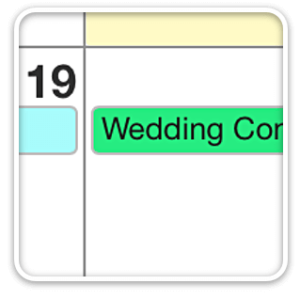
Check out this beautiful availability calendar using DayBack for FileMaker by Sam Rini of Bayou Haven Weddings and Events: We continue to use and LOVE the Calendar product you created for FileMaker. We run a wedding venue and this has been a GAME CHANGER for us. Thank you and your team for the phenomenal quality you consistently deliver. – Sam Shared views in DayBack are great for sharing schedules with...

Preview: Calendar Analytics

July 23, 2018

Analytics is coming to DayBack Calendar. Analytics is now live! Available as an in-app update to DayBack Calendar! Measure changes to your schedule, and chart calendar data against your goals. More info, and examples, here. You’ll be able to chart any additional fields you’ve added to the calendar. And you’ll know when the crests or troughs of your activity cross your thresholds. In the example above, we’re looking...

Unscheduled Events – Drag to Schedule

July 2, 2018

Here’s a simple mod to show unscheduled (dateless) events in DayBack Calendar. This is great for events that haven’t yet been pinned down. They’ll get “UNSCHEDULED” appended to their name and show up on the current day until they’re dragged to an actual date/time. Here’s a movie of this in action: Instructions If you’d like to make this change in your copy of DayBack, here are the field...

Calculating Hourly Costs in DayBack Calendar

June 28, 2018

When you’re tracking project deadlines in DayBack, you can have the calendar forecast project costs as well. DayBack user Gerhard Huber did that and customized his solution to estimate the cost of a project based on the time required for the task and the resource he’d assigned (each resource has their own per-hour billing charge.) Check out this video he made showing it in action: Not only is Gerhard updating...

Switching Time Zones in FileMaker Using DayBack Calendar

May 27, 2018

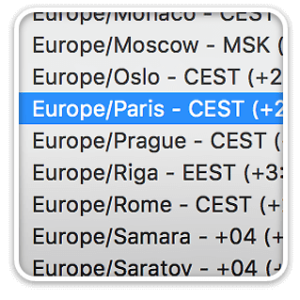
If you have a distributed team, you’re painfully aware that there is no built-in support for switching time zones in FileMaker. There’s easy way to have your time fields translate themselves into a different time zone. DayBack changes that. By default, DayBack shows events on the calendar at whichever time is entered into your time field. But you can mod the calendar so users can select the time zone...

Add Custom Actions to Public Calendars

March 19, 2018

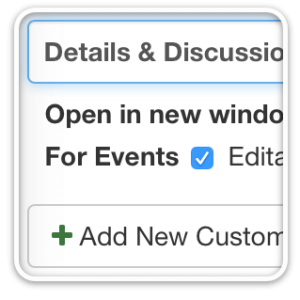
You can add buttons and scripts to your calendar events with DayBack’s custom actions. These let you modify how the calendar works so folks can take action right from within the calendar. Now you can add these actions to shared calendars as well. This means you can do things like: Link to a discussion about the event Complete a form when someone clicks on a shared event The...

Featured Posts

Follow Along

Stay up to date with the latest news & examples from SeedCode

FOLLOW ALONG

Stay up to date with the latest news & examples from SeedCode

© 2026 SeedCode, Inc.